[ Whereis® API Home ] [ JSON API Home ] [ Services ] [ Map Services ]
Use this service to obtain a static map when you know the point you want to centre on and how far in each direction you want the map to extend. Returns a map in one of three formats (see Map Services), based on the requested centre point and radius.
The map by radius service calculates the bounds as a best fit to accommodate the request.
URL
HTTP Post to <ENDPOINT>/service/map/by_radius
Request format
{
	"height":<int>,
	"width":<int>,
	"layers": ["STREET", "PHOTO", "HYBRID"],
	"centre":<point>,
	"radius":<int>,
	"mapData":[<mapData>]
}
Rules
Parameter | Mandatory? | Description |
height | Y | Image height in pixels. Min = 1, max = 1600 |
width | Y | Image width in pixels. Min = 1, max = 1600 |
layers | N | Array containing one or more of: "STREET" = conventional map "PHOTO" = aerial view "HYBRID" = semi-transparent layer with street names and labels |
centre | Y | The map will be centred on the specified <point> |
radius | Y | Radius in metres. The returned map will be at the maximum zoom for the specified radius, given the requested map height and width |
<mapData> | N | A list of <mapData> arrays, which may include markers, routes, and other geometry. The map will include all <mapData> that falls within the implied bounds. |
Sample request
{
	"height":400,
	"width":400,
	"layers": ["STREET"],
	"centre":{"lat":-37.9,"lon":145},
	"radius":1000
}
Sample response
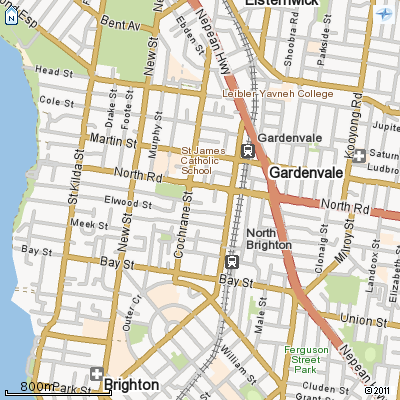
Multiple layers may be requested, but if it is opaque only the top layer (the last in the list) will be visible.
