This documentation explains how to access EMS from a web page, either to insert an interactive map or to obtain results from one of the EMS API's services.
You can use the EMS JavaScript API to put a fully interactive map on a webpage with only a few lines of code.
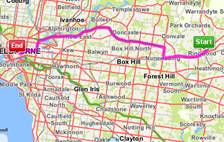
The API is flexible and comprehensive. It's built on extensions to OpenLayers, a popular and well-supported open source mapping API. Furthermore, it wraps the utilities from our JSON API - so you get JavaScript's ease of use without sacrificing any of the EMS API's power.
The documentation set includes;
- The Developers' Guide - for developers learning to use the JavaScript API
- Javascript Command Reference - autogenerated from the source code
- Working examples - with source code
- Tutorials - Step by step tutorials
There is also an EMS Glossary and Appendix, shared with the JSON API.
URL access
The location of the JavaScript API is presented in relation to an <ENDPOINT>. To identify the appropriate URL, and to check on server status, see Access URLs.
The default library offers stripped down files, with no comments or whitespaces to minimise download times, and is recommended for use in your final application. Variations are available, however, depending on your requirements, as follows.
Name | Definition | URL/switches |
Uncompressed | The default API is compressed and unreadable. Set compress to false if you want to reference the code base during development. | following token, append: &compress=false |
Mode | The default API operates in CrossDomain mode and returns JavaScript fragments. Set the mode option to execute full Ajax requests. | following token, append: &mode=XMLHttpRequest |
Libraries | Use this switch to specify only the libraries you require. If you use &libraries=services (no maps) or vice versa, the include will be smaller and quicker. One or more libraries can be included, separated by commas. Valid libraries include:
Also, you can include qualified EMS or OpenLayers JavaScript object names, such as EMS.Popup. | following token, append: &libraries=<library_name> or &libraries=<library_name>,<library_name>... |
Debug | Access the codebase from this URL for an uncompressed version of the API, split across multiple files. | <ENDPOINT>/web/js/ems/debug/?token=TOKEN |
Asynchronous loading
In some cases you may want the EMS JavaScript API to load asynchronously. This will allow other page elements to load and render while the the EMS API continues to load. For an example of how to implement asynchronous loading, look at this page in the examples section http://api.ems.sensis.com.au/v2/examples/map/basics/asynchronous. All the above library options will continue to work as usual.
Compatibility
The EMS JavaScript API V2 is not compatible with V1.
Registered V2 users will be notified of future modifications to the EMS API. If an update is not backward compatible, a new instance will be published and made available from an alternative directory. Deprecated versions will remain available for a set period of time post publication of the version that supersedes it.
V1 will continue to be available from existing endpoints for some time. However:
- There will be no further development of V1. New features will only be available in V2.
- As customers migrate, hardware will be progressively retired, so the capacity of the V1 environment will decrease over time.
- At some stage V1 will cease receiving data updates.
The documentation does not include a JavaScript tutorial. We assume that you are familiar with JavaScript programming, including features such as callback functions and closures. If you need help, refer to one of the many tutorials online.
